
Claw machines are among the most popular revenue-generating arcade machines in amusement centers, shopping malls, and family entertainment centers. However, like any commercial entertainment equipment, claw machines require regular inspection and maintenance to keep providing a stable player experience.
When a claw machine stops working properly, the problem may come from several areas, including power supply, control systems, claw mechanisms, payment systems, or internal settings.
This Claw Machine Troubleshooting guide explains the most common problems operators encounter and provides practical solutions to help reduce downtime and improve machine performance.
Why Regular Claw Machine Maintenance Matters
A commercial claw machine usually operates hundreds or thousands of game cycles every day. Continuous operation creates natural wear on mechanical parts, electrical components, and payment systems.
Regular troubleshooting helps operators:
- Reduce unexpected machine downtime
- Improve customer experience
- Prevent expensive component replacement
- Maintain stable revenue performance
- Extend equipment service life
For arcade operators and FEC owners, troubleshooting is not only about repairing broken machines. It is also part of daily operation management.
Common Claw Machine Problems and Quick Diagnosis
Before replacing parts, operators should first identify the symptom.
| Problem | Possible Cause | First Check |
|---|---|---|
| Machine has no power | Power cable, fuse, internal wiring | Check power connection |
| Claw moves but cannot grab prizes |
Weak claw strength, settings, worn parts |
Check claw adjustment |
| Coin is rejected | Coin acceptor issue | Clean or test acceptor |
| Joystick does not respond | Control board or wiring issue | Check connections |
| Prize gets stuck | Delivery mechanism problem | Inspect prize outlet |
| Screen or lights fail | Display or LED circuit issue | Check power supply |
A systematic inspection can prevent unnecessary part replacement.
Claw Machine Does Not Turn On: Causes and Solutions
One of the most common issues is a machine that appears completely inactive.
1. Check the Power Supply
First check:
- Power cable connection
- Wall outlet
- Main switch
- Fuse condition
- Internal power supply unit
If the machine has recently been moved, transportation vibration may loosen internal connections.
2. Inspect Internal Wiring
Commercial claw machines contain multiple electrical connections between:
- Main control board
- Motor system
- Display
- Lighting system
- Payment components
Loose connectors can cause partial or complete failure.
3. Check the Power Supply Unit
If external power is normal but the machine remains inactive, the internal power supply may require inspection.
For operators without technical experience, contacting the equipment supplier for guidance is usually safer than opening electrical components.
Claw Machine Has Weak Grip or Cannot Pick Up Prizes
A weak claw is one of the most frequently reported problems.
Possible reasons include:
1. Incorrect Claw Strength Settings
Many commercial claw machines allow operators to adjust:
- Grip strength
- Holding time
- Winning probability settings
Settings should match the prize type and business model.
2. Mechanical Wear
After long-term operation, components such as:
- Claw assembly
- Motor gears
- Springs
- Cables
may require inspection.
3. Heavy or Unsuitable Prizes
The claw mechanism is designed according to certain prize weight ranges.
Using oversized or overweight products may create the impression that the claw is malfunctioning.
Coin Acceptor and Payment System Problems
Payment failures directly affect revenue because customers cannot start games.
Common issues include:
Coin Acceptor Rejecting Coins
Possible causes:
- Dust inside the acceptor
- Incorrect coin settings
- Damaged sensor
- Wiring problems
Solutions:
- Clean the sensor area
- Check coin configuration
- Test with standard coins
Modern Payment System Issues
Many commercial machines now support multiple payment methods, including:
- Coins
- Tokens
- Card systems
- Digital payment solutions
When installing customized payment systems, compatibility testing before operation is important.
Joystick and Control Panel Malfunctions
Players interact with claw machines through the control system.
Common symptoms:
- Joystick moves but claw does not respond
- Buttons fail
- Direction control is incorrect
Possible solutions:
- Restart the machine.
- Check control panel wiring.
- Inspect the joystick switch.
- Test the control board.
For commercial locations, keeping spare control components can reduce repair time.
Prize Delivery and Mechanical Problems
Sometimes the claw successfully grabs a prize, but the machine fails at the final delivery stage.
Common causes include:
- Prize outlet blockage
- Incorrect prize placement
- Motor movement issues
- Mechanical obstruction
Operators should regularly check:
- Delivery chute
- Moving rails
- Internal mechanical parts
A smooth prize delivery process is essential because customers judge machine quality by the final winning experience.
Preventive Maintenance Checklist for Claw Machine Operators
Regular maintenance is usually more cost-effective than emergency repair.
Daily Check
- Confirm machine starts normally
- Test gameplay operation
- Check coin/payment acceptance
- Check lighting and display
Weekly Check
- Clean claw mechanism
- Inspect cables
- Check prize outlet
- Remove dust from sensors
Monthly Check
- Test internal components
- Review error records
- Inspect mechanical movement
- Confirm software settings
| Maintenance Frequency | Recommended Actions |
|---|---|
| Daily | Functional testing |
| Weekly | Cleaning and inspection |
| Monthly | Component evaluation |
| Quarterly | Professional maintenance review |
Supplier Perspective: Choosing Reliable Commercial Claw Machines
From a supplier perspective, many maintenance problems can actually be reduced before the machine reaches the customer.
When purchasing claw machines, operators should evaluate:
1. Manufacturing Experience
Experienced manufacturers usually have better understanding of:
- Mechanical design
- Electrical stability
- Commercial operation requirements
2. Spare Parts Availability
A reliable supplier should provide:
- Replacement parts
- Technical documents
- Remote support
3. Customization Capability
Different markets may require different:
- Payment systems
- Voltage standards
- Cabinet designs
- Branding options
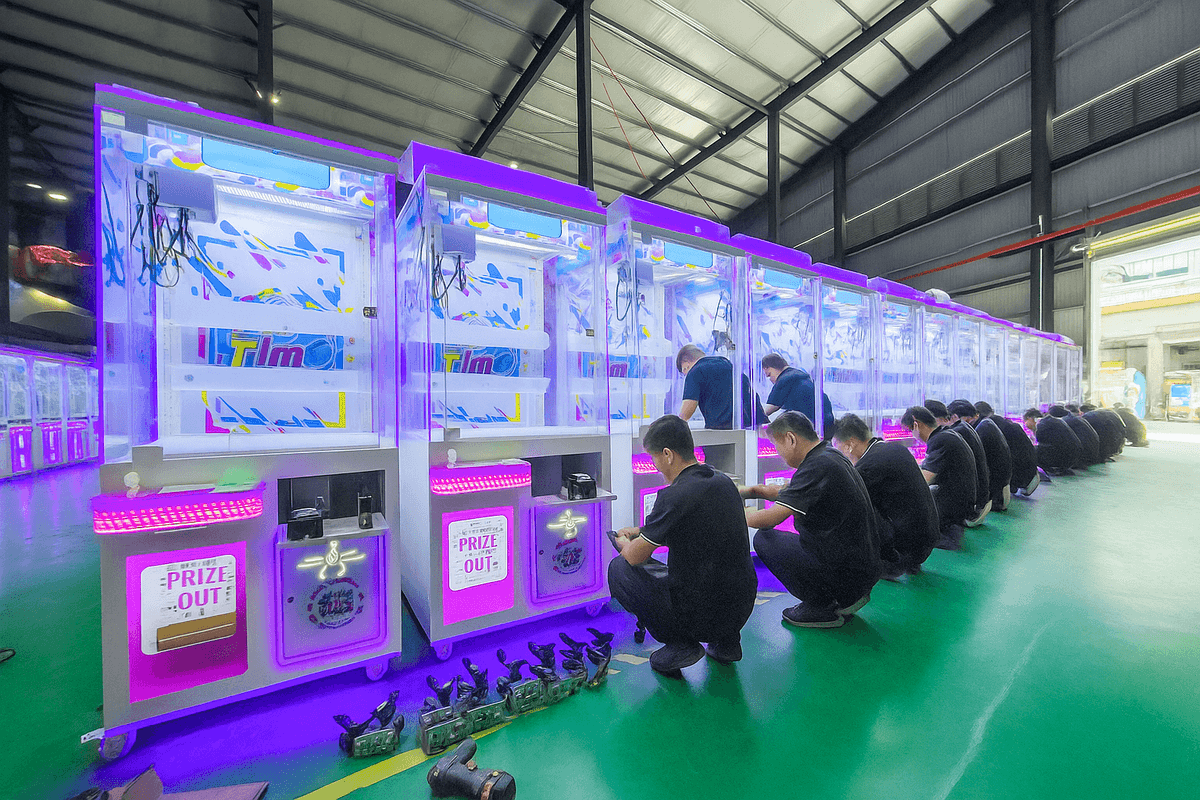
EPARK specializes in commercial amusement equipment manufacturing and provides arcade equipment solutions including claw machines, customized machines, production support, installation guidance, and after-sales technical assistance. The company has more than 13 years of industry experience, with products exported to around 100 countries and regions.
For arcade operators, equipment selection is only one part of building a successful entertainment project.
A complete supplier partnership may include:
- Product selection
- Space planning
- Equipment configuration
- Custom appearance design
- Installation support
- Technical assistance
EPARK provides amusement equipment manufacturing and complete project solutions for different venue sizes, from small entertainment spaces to larger family entertainment centers.
For customers planning new arcade projects, professional supplier support can help reduce operational risks.
Claw Machine Troubleshooting FAQ
1. Why is my claw machine not turning on?
The most common causes are power connection problems, fuse issues, internal wiring problems, or power supply failure.
2. Why does my claw machine move but not grab prizes?
Possible reasons include weak claw settings, unsuitable prize weight, worn mechanical parts, or incorrect adjustment.
3. How often should a claw machine be maintained?
Commercial machines should receive daily operational checks, weekly cleaning, and regular component inspections.
4. Can claw machine settings be adjusted?
Yes. Many commercial claw machines allow operators to adjust gameplay settings such as claw strength and operation parameters.
5. What spare parts should arcade operators keep?
Common spare parts include:
- Joystick components
- Buttons
- Sensors
- Fuses
- Cables
- Mechanical parts
6. Should I repair a claw machine myself or contact a supplier?
Simple issues such as cleaning or checking connections may be handled by operators. Electrical or control system problems should usually be handled with supplier guidance.
Conclusion: Keep Your Claw Machine Reliable with Proper Maintenance
A reliable claw machine requires more than attractive design and exciting prizes. Stable performance depends on proper setup, regular inspection, and choosing equipment from a dependable manufacturer.
By understanding common problems such as power failures, weak claw strength, payment issues, and mechanical problems, operators can reduce downtime and improve customer satisfaction.
For businesses planning arcade centers, FEC projects, or expanding their entertainment equipment portfolio, working with an experienced claw machine supplier can provide additional support throughout equipment selection, customization, installation, and maintenance.
